 GroupAITools
How to use Helium 10 in 2026: a step-by-step guide for Amazon sellers
Helium 10 is one of the most widely used software suites for Amazon sellers, covering product research, keyword research, listing optimisation, rank tracking and, on higher plans, ads, inventory and profit tools. It is also big enough to be confusing. This guide shows how to use Helium 10 in the order most sellers actually need it: validate a product, find the keywords buyers use, write a listing that ranks, track results and protect margins. It is written for Indian sellers on Amazon’s global marketplaces and for agencies that manage them. If you do not have a plan, our shared Helium 10 is ₹599/month.
We sell shared Helium 10 access, so read this as vendor content. Plan details are from helium10.com/pricing, checked on 25 Oct 2026. For full prices, see our Helium 10 price in India guide.
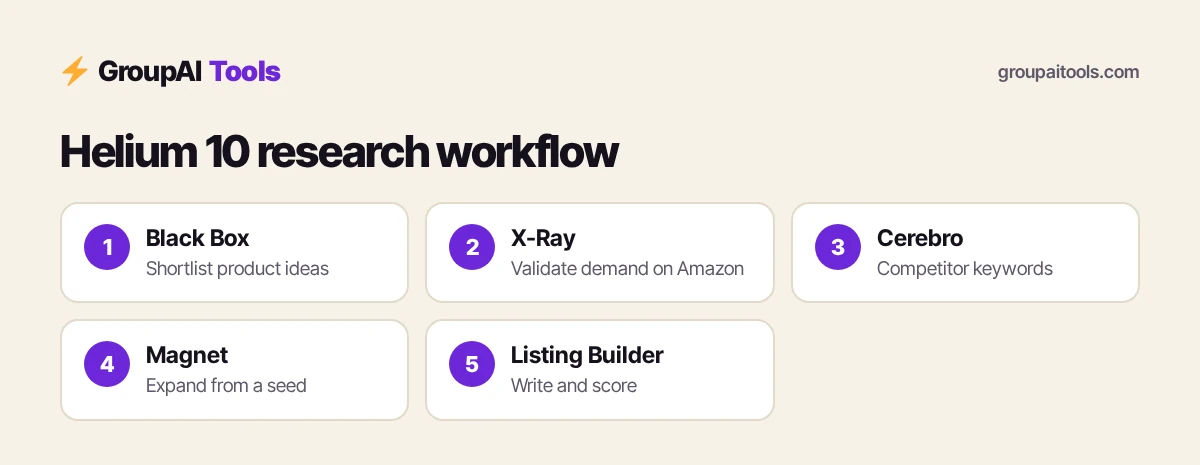
Short answer: to use Helium 10, start with Black Box and the X-Ray Chrome extension to check demand and competition for a product idea, use Cerebro and Magnet to build a keyword list, write your listing in Listing Builder, then track rankings and sales over time. Helium 10 Platinum is $99 a month billed yearly or $129 monthly; Diamond is $279 or $359. Shared Helium 10 on GroupAI Tools is ₹599/month, paid monthly by UPI.
Helium 10 plans and what each unlocks
| Plan | Price (USD) | Aimed at | Adds |
|---|---|---|---|
| Platinum | $99/mo billed yearly, or $129 monthly | $0–$100K yearly sales | Product and keyword research, basic tracking, limited profit reporting, Amazon FBA, Ads and TikTok Shop academies |
| Diamond | $279/mo billed yearly, or $359 monthly | $100K–$10M yearly sales | Helium AI agent, AI Listing Builder with keyword research, ad automation, inventory, profit and loss, refund service |
| Enterprise | From $1,499/mo, billed annually | Beyond $10M | Dedicated success manager, more users, accounts and ASINs |
Dollar conversions on this page use ₹94.9 per US dollar, the reference rate on 23 Oct 2026 (the last trading day before this update). Your bank or card network applies its own rate and may add a forex markup of a few per cent, and GST at 18% can apply to foreign digital services bought by Indian customers, so your statement can differ.
Helium 10 says all prices are in US dollars with applicable taxes added at checkout, and yearly billing saves up to 20%.

How to use Helium 10, step 1: find product ideas with Black Box
Black Box is Helium 10’s product research database. Filter by category, price range, monthly revenue, review count and other criteria to surface products with demand but beatable competition. A common starting filter for new sellers is a mid-range price, steady monthly sales and listings with relatively few reviews, which suggests room for a new brand.
- Choose your marketplace and category.
- Set a price range that leaves room for fees, shipping and margin.
- Set minimum monthly revenue and maximum review counts.
- Shortlist 10–20 ideas and note why each looks promising.
Step 2: Validate ideas with the X-Ray Chrome extension
Install the Helium 10 Chrome extension and open an Amazon search results page for your product idea. X-Ray estimates sales and revenue for each listing on the page, along with price, reviews and seller type. Look for:
- Total revenue spread across several sellers, not one dominant brand.
- Top listings with weak images, thin bullet points or poor reviews you could beat.
- Stable prices rather than a race to the bottom.
Estimates are modelled, not Amazon’s actual data, so use them to compare products rather than as exact forecasts.
Step 3: Research keywords with Cerebro
Cerebro is reverse ASIN lookup: paste the ASINs of top competitors and see the search terms they rank for, with estimated search volume and their ranking positions. This is the heart of how to use Helium 10 for listings, because it shows how real buyers search. Export the list and mark the high-volume terms most relevant to your product.
Step 4: Expand the list with Magnet
Magnet starts from a seed keyword (for example “steel water bottle”) and suggests related terms with volume estimates. Combine Magnet results with your Cerebro export, remove duplicates and irrelevant terms, and group the rest into must-use keywords for the title, secondary keywords for bullets, and long-tail terms for the description and backend fields.
Step 5: Write your listing in Listing Builder
Listing Builder lets you import your keyword list, then write the title, bullets, description and backend search terms while it tracks which keywords you have used and scores the listing. Diamond integrates an AI Listing Builder with keyword research to draft copy from your list. Check which Listing Builder features your plan includes on Helium 10’s pricing page. Always edit AI drafts for accuracy, compliance with Amazon’s style rules and your actual product claims.
- Put your most important keyword phrase near the start of the title.
- Use bullets for benefits backed by specifics: material, size, warranty.
- Cover secondary keywords naturally across bullets and description.
- Fill backend search terms with relevant terms you could not fit elsewhere.
Step 6: Track rankings and react
Knowing how to use Helium 10 after launch matters as much as research. Once the listing is live, track your position for your main keywords over time. If rankings drop, check pricing, stock, reviews and competitor changes before rewriting copy. Long-term keyword trend analysis, included on Diamond, helps spot seasonality, such as demand peaks before festivals or back-to-school periods in your target marketplace.
Step 7: Watch profit and inventory
Platinum includes basic performance tracking and limited profit reporting. Diamond adds profit and loss reporting, inventory management and a managed refund service. Part of how to use Helium 10 well is not stopping at research. Even on Platinum, set up a simple monthly check: units sold, fees, ad spend and refunds against your landed cost, so growth does not hide shrinking margins.
Step 8: Manage ads (Diamond)
Helium 10 Ads on Diamond offers rules-based automation, dayparting and manual bid and budget controls. If you are new to Amazon PPC, start with a small daily budget, run automatic campaigns to discover search terms, then move the best performers into manual campaigns. Review weekly, not hourly.
Step 9: Learn with the academies
Every plan includes Helium 10’s Amazon FBA training, Amazon Ads academy and TikTok Shop academy. New sellers who learn how to use Helium 10 alongside the FBA course make fewer expensive mistakes, such as ordering stock before validating demand or ignoring fees.
How to use Helium 10 as an Indian seller
- If you sell abroad through Amazon Global Selling, choose the target marketplace in each tool before researching.
- Factor international shipping, FBA fees, returns and currency in your margin, not just the selling price.
- Check category restrictions and compliance requirements for your target country.
- Helium 10 says it supports 24+ marketplaces; confirm your target marketplace is covered in the tool you plan to use.
How to use Helium 10 for agencies and freelancers
Agencies use Helium 10 for keyword audits, listing rewrites and competitor reports for clients. A simple offer: Cerebro and Magnet keyword research, a rewritten listing from Listing Builder, and a 30-day ranking report. Keep each client’s data organised by project, and avoid storing client account logins or confidential sales data on a shared account.
A product research workflow in one afternoon
Hour 1: shortlist
Filter Black Box for 20 ideas in your price band.
Hour 2: validate
Run X-Ray on each idea’s search page; drop anything dominated by one brand.
Hour 3: keywords
Run Cerebro on the top three competitors for your best two ideas.
Hour 4: decide
Estimate landed cost and margin; pick one idea to source samples for.
This is how to use Helium 10 efficiently: narrow fast, validate with data, and only then spend money on samples.
Tips: how to use Helium 10 faster
Product images and A+ content matter as much as keywords. Many sellers design them in Canva Pro (₹299/month) and draft first-pass copy with ChatGPT Plus (₹399/month) before refining it with Helium 10 keyword data.
- Save filter presets in Black Box for repeat searches.
- Export Cerebro and Magnet results to a spreadsheet and tag keywords by priority.
- Use X-Ray on competitors’ storefronts as well as search pages.
- Re-run Cerebro every few months; search behaviour shifts.
- Treat all sales figures as estimates and cross-check with other signals.
Building a store beyond Amazon? Browse our ecommerce and research tools hub.
Common mistakes when learning how to use Helium 10
- Choosing a product on revenue alone, ignoring competition and fees.
- Stuffing titles with keywords until they read badly.
- Trusting AI listing drafts without checking claims.
- Ordering large stock before validating demand.
- Never revisiting keywords after launch.
Helium 10 on GroupAI Tools
| Factor | Helium 10 plan | Shared Helium 10 on GroupAI Tools |
|---|---|---|
| Price | $99–$359 a month, plus tax and forex | ₹599/month |
| Payment | International card | UPI, RuPay, cards, net banking |
| Commitment | Monthly or yearly | Monthly, stop anytime |
| Seller account connection | Connect your own Amazon account | Research tools only; do not connect your seller account |
| Support | Helium 10 support | WhatsApp 9:00 AM–11:30 PM IST, 48-hour refund guarantee |
Our plan suits sellers who want research tools month by month in rupees by UPI, without an international card. Read is group buy safe? for how sessions work.
How we checked
We read helium10.com/pricing on 25 Oct 2026 for plans, prices and features. Tool names such as Black Box, X-Ray, Cerebro, Magnet and Listing Builder are Helium 10’s; interfaces change, so check Helium 10’s knowledge base if a menu looks different.
Get started on GroupAI Tools
Here is how buying works on GroupAI Tools. You pick Helium 10 or another tool on its page, pay in rupees with UPI (GPay, PhonePe, Paytm, BHIM), RuPay, cards or net banking, and the tool appears in your dashboard. You open it from Dashboard Login at app.groupaitools.org in a private, isolated browser session, so you never type or see a shared password.
Software that is sold as a licence rather than a web app is delivered as a licence key or an activation by email or WhatsApp instead. WhatsApp support runs from 9:00 AM to 11:30 PM IST, and every tool page shows the 48-hour refund guarantee.
Browse more ecommerce tools on our ecommerce and research tools hub.
FAQs
How do I use Helium 10 for product research?
Filter ideas in Black Box, then validate demand and competition with the X-Ray Chrome extension on Amazon search pages.
What is Cerebro in Helium 10?
A reverse ASIN tool that shows the keywords competitor listings rank for, with search volume estimates.
What is the difference between Cerebro and Magnet?
Cerebro starts from competitor ASINs; Magnet starts from a seed keyword and suggests related terms.
How much does Helium 10 cost?
Platinum is $99 a month billed yearly or $129 monthly; Diamond is $279 or $359; Enterprise starts at $1,499 a month billed annually.
Can Indian sellers use Helium 10?
Yes, for selling on supported Amazon marketplaces; confirm your target marketplace is covered.
Are Helium 10 sales estimates accurate?
They are modelled estimates, useful for comparing products but not exact figures.
Does Helium 10 write listings with AI?
Diamond includes an AI Listing Builder integrated with keyword research; edit drafts before publishing.
What does shared Helium 10 cost?
₹599/month on GroupAI Tools, paid monthly.